/* ============================================================
   Gramigo — landing page
   ============================================================ */

const { useState, useEffect, useRef, useCallback } = React;

/* -------------------------------------------------------------
   Supabase config
   -------------------------------------------------------------
   To wire up a real waitlist, replace the two placeholders below
   with your Supabase project URL + anon (public) key, and make a
   table (default name: "waitlist") with a text column "email".
   The anon key is safe to embed in a public page.

   Until then, the form works locally (saves to localStorage) so
   you can demo it immediately.
   ------------------------------------------------------------- */
const SUPABASE_URL      = 'https://asoowmxoedbuqxuzaeac.supabase.co';
const SUPABASE_ANON_KEY = 'sb_publishable_7Fp7AMz2l2WBYHbzVeJYYQ_c21Im4zS';
const WAITLIST_TABLE    = 'waitlist';

const SUPABASE_READY =
  !SUPABASE_URL.startsWith('YOUR_') &&
  !SUPABASE_ANON_KEY.startsWith('YOUR_') &&
  typeof window.supabase !== 'undefined';

let _sb = null;
function sb() {
  if (!SUPABASE_READY) return null;
  if (!_sb) _sb = window.supabase.createClient(SUPABASE_URL, SUPABASE_ANON_KEY);
  return _sb;
}

async function joinWaitlist(email) {
  const clean = email.trim().toLowerCase();
  if (SUPABASE_READY) {
    const { error } = await sb().from(WAITLIST_TABLE).insert({ email: clean });
    if (error) {
      // 23505 = unique_violation → already signed up, treat as success
      if (error.code === '23505') return { ok: true, already: true };
      return { ok: false, error: error.message };
    }
    return { ok: true };
  }
  // Local fallback
  const key = 'gramigo_waitlist';
  const list = JSON.parse(localStorage.getItem(key) || '[]');
  const already = list.includes(clean);
  if (!already) { list.push(clean); localStorage.setItem(key, JSON.stringify(list)); }
  await new Promise((r) => setTimeout(r, 650)); // tiny delay so the spinner feels real
  return { ok: true, already, local: true };
}

/* ---------------- confetti ---------------- */
const CONFETTI_COLORS = ['#8B6EF5', '#F04F9E', '#20C06C', '#4A98F9', '#FADE4D', '#A691FF'];
function fireConfetti(x, y) {
  if (window.matchMedia('(prefers-reduced-motion: reduce)').matches) return;
  const N = 46;
  for (let i = 0; i < N; i++) {
    const p = document.createElement('div');
    p.className = 'confetti-piece';
    const round = Math.random() > 0.5;
    const size = 7 + Math.random() * 8;
    const ang = Math.random() * Math.PI * 2;
    const dist = 90 + Math.random() * 230;
    const cx = Math.cos(ang) * dist;
    const cy = Math.sin(ang) * dist + 140; // gravity bias downward
    p.style.left = x + 'px';
    p.style.top = y + 'px';
    p.style.width = size + 'px';
    p.style.height = (round ? size : size * 0.55) + 'px';
    p.style.background = CONFETTI_COLORS[i % CONFETTI_COLORS.length];
    p.style.borderRadius = round ? '50%' : '2px';
    p.style.setProperty('--cx', cx + 'px');
    p.style.setProperty('--cy', cy + 'px');
    p.style.setProperty('--cr', (Math.random() * 720 - 360) + 'deg');
    p.style.setProperty('--cd', (900 + Math.random() * 700) + 'ms');
    document.body.appendChild(p);
    setTimeout(() => p.remove(), 1700);
  }
}

/* ---------------- reveal on scroll ---------------- */
function useReveal() {
  useEffect(() => {
    const els = Array.prototype.slice.call(document.querySelectorAll('.reveal'));
    const reveal = (el) => {
      if (el.classList.contains('in')) return;
      const d = el.getAttribute('data-delay');
      if (d) el.style.transitionDelay = d + 'ms';
      el.classList.add('in');
    };
    // rect-based check — works even if IntersectionObserver is flaky/paused
    const check = () => {
      const vh = window.innerHeight || document.documentElement.clientHeight;
      els.forEach((el) => {
        const r = el.getBoundingClientRect();
        if (r.top < vh * 0.88 && r.bottom > 0) reveal(el);
      });
    };
    check();
    let io = null;
    if ('IntersectionObserver' in window) {
      io = new IntersectionObserver((entries) => {
        entries.forEach((en) => { if (en.isIntersecting) { reveal(en.target); io.unobserve(en.target); } });
      }, { threshold: 0.14 });
      els.forEach((e) => { if (!e.classList.contains('in')) io.observe(e); });
    }
    window.addEventListener('scroll', check, { passive: true });
    window.addEventListener('resize', check);
    return () => {
      window.removeEventListener('scroll', check);
      window.removeEventListener('resize', check);
      if (io) io.disconnect();
    };
  }, []);
}

/* ---------------- data ---------------- */
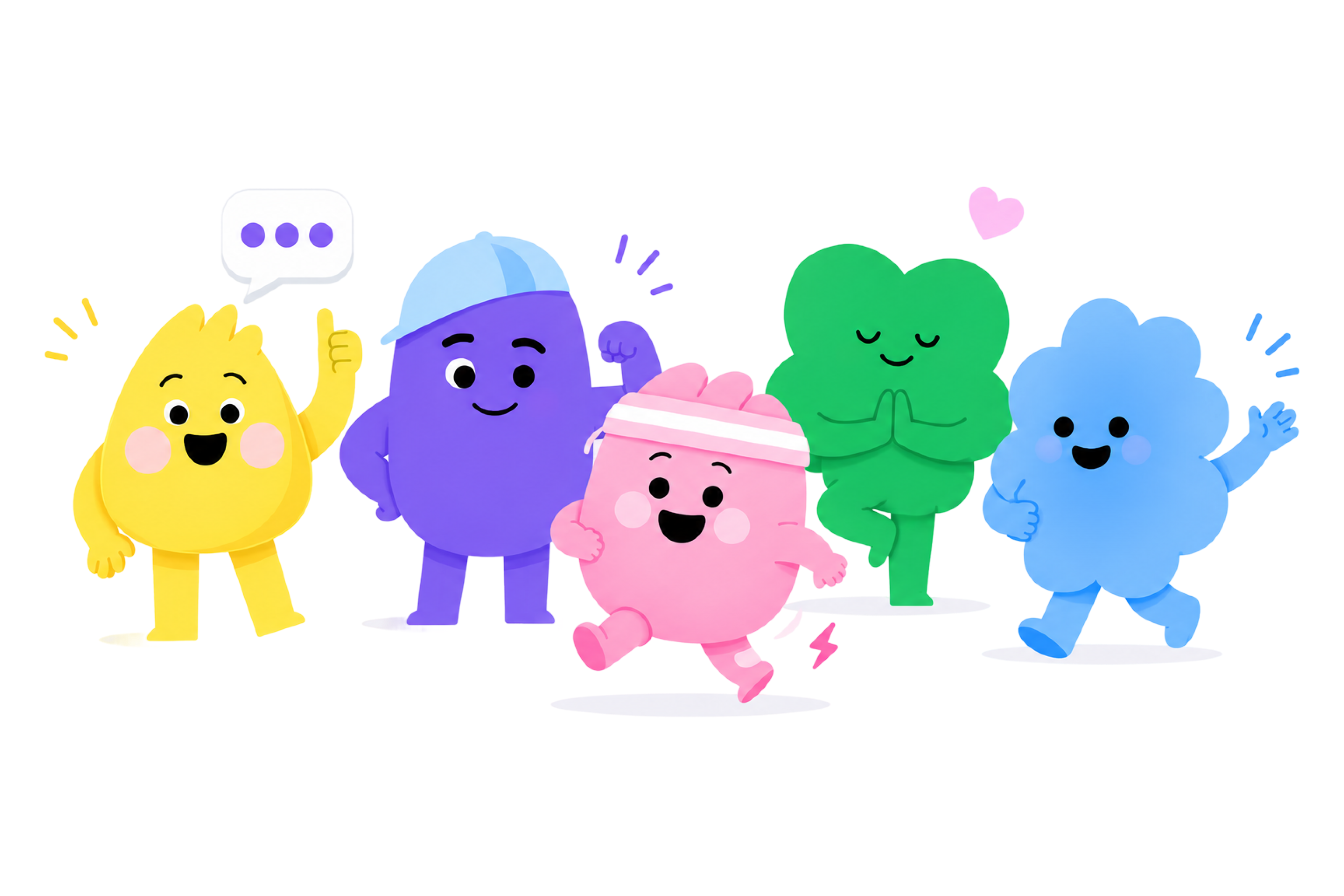
const CREW = [
  { key: 'nouki',   img: 'assets/nouki.png',   name: 'Nouki',   color: '#FADE4D', tag: 'the brains',      line: "Reads your plate, does the macro math, and supplies the sass." },
  { key: 'protein', img: 'assets/protein.png', name: 'Protein', color: '#8065F1', tag: 'the coach',       line: "Keeps your gains on track, one gram at a time." },
  { key: 'carbie',  img: 'assets/carbie.png',  name: 'Carbie',  color: '#F04F9E', tag: 'the energy',      line: "Fuel for the fun stuff. Always mid-run, never tired." },
  { key: 'fatty',   img: 'assets/fatty.png',   name: 'Fatty',   color: '#20C06C', tag: 'the zen one',     line: "Good fats, good vibes. Breathe in, snack on." },
  { key: 'fiber',   img: 'assets/fiber.png',   name: 'Fiber',   color: '#4A98F9', tag: 'the quiet hero',  line: "Soft-spoken, deeply important. Keeps things moving." },
];

const STEPS = [
  { n: '01', emoji: '📸', title: 'Snap your meal',        body: "Point your camera at the plate. That's genuinely the whole step." },
  { n: '02', emoji: '🔍', title: 'Nouki reads the macros', body: "Calories, protein, carbs, fat and fiber — broken down in seconds." },
  { n: '03', emoji: '🔥', title: 'Share with the crew',   body: "Post to friends, collect reactions, and get lovingly roasted." },
];

const HEADLINES = [
  { id: 'cheeky',  label: 'Cheeky',  title: ['Track macros', 'without the misery.'], sub: "Snap a photo, let Nouki crunch the numbers, and get gently roasted by your friends. Nutrition tracking that doesn't feel like homework." },
  { id: 'warm',    label: 'Warm',    title: ['Eat well,', 'together.'],              sub: "Gramigo turns macro tracking into something you actually look forward to — friendly, social, and weirdly delightful." },
  { id: 'minimal', label: 'Minimal', title: ['Macros,', 'minus the math.'],         sub: "Photo in. Macros out. Friends optional, but very much encouraged." },
  { id: 'mascot',  label: 'Mascots', title: ['Meet your new', 'nutrition crew.'],   sub: "Five tiny mascots who count your macros, hype you up, and occasionally judge your croissant." },
];

const BACKGROUNDS = {
  lavender: 'radial-gradient(1200px 720px at 50% -8%, #EFE8FF 0%, #F6F4FB 52%, #F2F1F8 100%)',
  cream:    'radial-gradient(1200px 720px at 50% -8%, #FFF4E6 0%, #FBF7F0 52%, #F7F3EC 100%)',
  mint:     'radial-gradient(1200px 720px at 50% -8%, #E4F7EC 0%, #F1F8F3 52%, #EDF5EF 100%)',
};

/* ============================================================
   small pieces
   ============================================================ */

function Wordmark({ size = 26 }) {
  return (
    <div style={{ display: 'flex', alignItems: 'center', gap: 10 }}>
      <img src="assets/app-icon.png" alt="" width={size + 10} height={size + 10}
           style={{ borderRadius: (size + 10) * 0.26, display: 'block', boxShadow: '0 3px 10px rgba(139,110,245,0.25)' }} />
      <span className="g-wordmark" style={{ fontSize: size, color: 'var(--g-ink)' }}>Gramigo</span>
    </div>
  );
}

function ComingSoonPill({ dark = false }) {
  return (
    <div className="g-mono" style={{
      display: 'inline-flex', alignItems: 'center', gap: 8,
      height: 38, padding: '0 16px', borderRadius: 9999,
      fontSize: 11.5, fontWeight: 600, letterSpacing: 0.6,
      color: dark ? '#fff' : 'var(--g-ink)',
      background: dark ? 'var(--g-ink)' : 'rgba(255,255,255,0.72)',
      border: dark ? '0' : '1px solid var(--g-stroke)',
      backdropFilter: 'blur(12px)', WebkitBackdropFilter: 'blur(12px)',
      boxShadow: '0 4px 16px rgba(60,50,100,0.07)',
    }}>
      <span style={{ display: 'inline-flex', width: 8, height: 8,
        borderRadius: '50%', background: 'var(--g-fat)' }}></span>
      COMING SOON ON iOS
    </div>
  );
}

function Nav() {
  return (
    <nav style={{
      position: 'sticky', top: 0, zIndex: 50,
      display: 'flex', alignItems: 'center', justifyContent: 'space-between',
      padding: '18px clamp(20px, 5vw, 64px)',
      backdropFilter: 'blur(10px)', WebkitBackdropFilter: 'blur(10px)',
    }}>
      <Wordmark />
      <div style={{ display: 'flex', alignItems: 'center', gap: 16 }}>
        <a href="#crew" className="g-mono" style={{
          display: 'none', fontSize: 12, fontWeight: 600, letterSpacing: 0.4,
          color: 'var(--g-ink-2)', textDecoration: 'none',
        }}>THE CREW</a>
        <ComingSoonPill />
      </div>
    </nav>
  );
}

/* ---------------- waitlist form ---------------- */
function WaitlistForm({ accent, big = false, onDark = false }) {
  const [email, setEmail] = useState('');
  const [status, setStatus] = useState('idle'); // idle | loading | done | error
  const [note, setNote] = useState('');
  const btnRef = useRef(null);

  const valid = /^[^\s@]+@[^\s@]+\.[^\s@]+$/.test(email.trim());

  const submit = useCallback(async (e) => {
    e.preventDefault();
    if (!valid || status === 'loading') return;
    setStatus('loading'); setNote('');
    const res = await joinWaitlist(email);
    if (res.ok) {
      setStatus('done');
      setNote(res.already ? "You're already on the list. Nouki remembers you." : '');
      const r = btnRef.current ? btnRef.current.getBoundingClientRect() : null;
      if (r) fireConfetti(r.left + r.width / 2, r.top + r.height / 2);
    } else {
      setStatus('error');
      setNote(res.error || 'Something went sideways. Try again?');
    }
  }, [email, valid, status]);

  if (status === 'done') {
    return (
      <div style={{ maxWidth: big ? 520 : 460, width: '100%' }}>
        <div style={{
          display: 'flex', alignItems: 'center', gap: 14,
          background: 'var(--g-card)', borderRadius: 18, padding: '16px 18px',
          border: '1px solid var(--g-stroke)',
          boxShadow: '0 10px 30px rgba(60,50,100,0.10)',
          animation: 'gScaleIn 0.45s cubic-bezier(.2,1.2,.4,1) both',
        }}>
          <img src="assets/nouki.png" alt="" width={48} height={48}
               style={{ borderRadius: '50%', flexShrink: 0 }} />
          <div style={{ textAlign: 'left' }}>
            <div style={{ fontWeight: 800, fontSize: 16, color: 'var(--g-ink)' }}>You're on the list! 🎉</div>
            <div style={{ fontSize: 13.5, color: 'var(--g-ink-2)', marginTop: 2 }}>
              {note || "We'll ping you the second Gramigo hits the App Store."}
            </div>
          </div>
        </div>
      </div>
    );
  }

  return (
    <form onSubmit={submit} style={{ maxWidth: big ? 520 : 460, width: '100%' }} noValidate>
      <div style={{
        display: 'flex', alignItems: 'center', gap: 8,
        background: 'var(--g-card)', borderRadius: 9999,
        padding: '7px 7px 7px 20px',
        border: '1px solid var(--g-stroke)',
        boxShadow: status === 'error'
          ? '0 0 0 3px rgba(240,79,158,0.18)'
          : '0 10px 30px rgba(60,50,100,0.10)',
        transition: 'box-shadow 0.25s ease',
      }}>
        <input
          className="g-input"
          type="email"
          inputMode="email"
          autoComplete="email"
          placeholder="you@email.com"
          value={email}
          onChange={(e) => { setEmail(e.target.value); if (status === 'error') setStatus('idle'); }}
          aria-label="Email address"
          style={{ height: 44 }}
        />
        <button
          ref={btnRef}
          type="submit"
          className="g-btn sheen"
          disabled={status === 'loading'}
          style={{
            flexShrink: 0, height: 48, padding: '0 26px', borderRadius: 9999,
            fontWeight: 700, fontSize: 15.5, color: '#fff',
            background: valid
              ? `linear-gradient(135deg, var(--accent-2) 0%, ${accent} 100%)`
              : 'var(--g-ink-3)',
            boxShadow: valid ? '0 8px 22px rgba(139,110,245,0.34)' : 'none',
            cursor: status === 'loading' ? 'default' : 'pointer',
            transition: 'background 0.3s ease, box-shadow 0.3s ease, transform 0.12s ease',
            display: 'inline-flex', alignItems: 'center', gap: 9,
          }}
          onMouseDown={(e) => { if (valid) e.currentTarget.style.transform = 'scale(0.96)'; }}
          onMouseUp={(e) => { e.currentTarget.style.transform = 'scale(1)'; }}
          onMouseLeave={(e) => { e.currentTarget.style.transform = 'scale(1)'; }}
        >
          {status === 'loading' ? 'Joining…' : 'Join the waitlist'}
        </button>
      </div>
      <div style={{
        marginTop: 12, fontSize: 13,
        color: status === 'error' ? (onDark ? '#FFE0EF' : 'var(--g-carb)') : (onDark ? 'rgba(255,255,255,0.92)' : 'var(--g-ink-3)'),
        display: 'flex', alignItems: 'center', justifyContent: 'center', gap: 7,
        minHeight: 18, fontWeight: onDark ? 500 : 400, textAlign: 'center',
      }}>
        {status === 'error'
          ? note
          : 'No spam, ever. Just one happy email when we launch.'}
      </div>
    </form>
  );
}

/* ---------------- hero ---------------- */
function Hero({ headline, accent }) {
  return (
    <header style={{ position: 'relative', padding: '36px clamp(20px, 5vw, 64px) 0', overflow: 'hidden' }}>
      <div style={{ maxWidth: 1180, margin: '0 auto', textAlign: 'center', position: 'relative', zIndex: 2 }}>

        <div className="reveal in g-mono" style={{
          display: 'inline-flex', alignItems: 'center', gap: 9,
          fontSize: 11.5, fontWeight: 600, letterSpacing: 1.4, color: accent,
          padding: '8px 16px', borderRadius: 9999,
          background: 'rgba(255,255,255,0.6)', border: '1px solid var(--g-stroke)',
          marginBottom: 26,
        }}>
          MACRO TRACKING WITH YOUR SQUAD
        </div>

        <h1 className="g-display reveal in" data-delay="60" style={{
          fontSize: 'clamp(40px, 7vw, 88px)', lineHeight: 1.02, margin: 0,
          color: 'var(--g-ink)', letterSpacing: '-1px',
        }}>
          {headline.title[0]}<br />
          <span style={{ color: accent }}>{headline.title[1]}</span>
        </h1>

        <p className="reveal in" data-delay="140" style={{
          fontSize: 'clamp(16px, 2vw, 20px)', lineHeight: 1.55, color: 'var(--g-ink-2)',
          maxWidth: 600, margin: '22px auto 34px', textWrap: 'pretty',
        }}>
          {headline.sub}
        </p>

        <div className="reveal in" data-delay="220" style={{ display: 'flex', justifyContent: 'center', marginBottom: 16 }}>
          <WaitlistForm accent={accent} big />
        </div>

        <div className="reveal in" data-delay="300" style={{
          display: 'flex', alignItems: 'center', justifyContent: 'center', gap: 14,
          flexWrap: 'wrap', marginBottom: 6,
        }}>
          <AppStoreBadge />
          <span className="g-hand" style={{ fontSize: 19, color: 'var(--g-ink-3)' }}>Android, we promise you're next →</span>
        </div>
      </div>

      {/* crew */}
      <div style={{ position: 'relative', maxWidth: 1280, margin: '0 auto', zIndex: 1 }}>
        {/* sparkles removed per request */}

        <img
          src="assets/Gramigo Crew-transparent.png"
          alt="The Gramigo mascot crew — five colorful characters cheering"
          className="bobby"
          style={{
            '--dur': '6s',
            display: 'block', width: '100%', maxWidth: 1080, margin: '0 auto',
            filter: 'drop-shadow(0 30px 50px rgba(60,50,100,0.12))',
          }}
        />
        {/* fade base */}
        <div style={{ height: 40, marginTop: -20,
          background: 'linear-gradient(transparent, rgba(255,255,255,0))' }}></div>
      </div>
    </header>
  );
}

function Sparkle({ style, color, dur }) {
  return (
    <span className="floaty" style={{
      '--dur': dur, position: 'absolute', width: 16, height: 16,
      background: color, borderRadius: 4, transform: 'rotate(45deg)',
      boxShadow: `0 4px 12px ${color}66`, zIndex: 3, ...style,
    }}></span>
  );
}

function AppStoreBadge() {
  return (
    <div style={{
      display: 'inline-flex', alignItems: 'center', gap: 11,
      height: 56, padding: '0 22px 0 18px', borderRadius: 14,
      background: 'var(--g-ink)', color: '#fff',
      boxShadow: '0 10px 26px rgba(27,23,53,0.28)',
    }}>
      <svg viewBox="0 0 384 512" width="26" height="26" fill="#fff" style={{ flexShrink: 0 }} aria-hidden="true">
        <path d="M318.7 268.7c-.2-36.7 16.4-64.4 50-84.8-18.8-26.9-47.2-41.7-84.7-44.6-35.5-2.8-74.3 20.7-88.5 20.7-15 0-49.4-19.7-76.4-19.7C63.3 141.2 4 184.8 4 273.5q0 39.3 14.4 81.2c12.8 36.7 59 126.7 107.2 125.2 25.2-.6 43-17.9 75.8-17.9 31.8 0 48.3 17.9 76.4 17.9 48.6-.7 90.4-82.5 102.6-119.3-65.2-30.7-61.7-90-61.7-91.9zm-56.6-164.2c27.3-32.4 24.8-61.9 24-72.5-24.1 1.4-52 16.4-67.9 34.9-17.5 19.8-27.8 44.3-25.6 71.9 26.1 2 49.9-11.4 69.5-34.3z"/>
      </svg>
      <div style={{ textAlign: 'left', lineHeight: 1.1 }}>
        <div className="g-mono" style={{ fontSize: 9.5, letterSpacing: 1, opacity: 0.7 }}>COMING SOON ON THE</div>
        <div style={{ fontSize: 17, fontWeight: 700, marginTop: 2 }}>App Store</div>
      </div>
    </div>
  );
}

/* ---------------- meet the crew ---------------- */
function Crew() {
  return (
    <section id="crew" style={{ padding: 'clamp(70px, 9vw, 130px) clamp(20px, 5vw, 64px)' }}>
      <div style={{ maxWidth: 1120, margin: '0 auto' }}>
        <SectionHead
          eyebrow="MEET THE CREW"
          title="Five little mascots, one full plate."
          sub="Every macro has a face — and an opinion. Hover to say hi." />

        <div style={{
          display: 'grid', gap: 18, marginTop: 52,
          gridTemplateColumns: 'repeat(auto-fit, minmax(190px, 1fr))',
        }}>
          {CREW.map((c, i) => (
            <div key={c.key} className="reveal" data-delay={i * 80} style={{
              background: 'var(--g-card)', borderRadius: 26, padding: '30px 22px 26px',
              border: '1px solid var(--g-stroke)', textAlign: 'center',
              boxShadow: '0 1px 2px rgba(60,50,100,0.03), 0 12px 28px rgba(60,50,100,0.06)',
              transition: 'transform 0.3s cubic-bezier(.2,.8,.2,1), box-shadow 0.3s ease',
            }}
              onMouseEnter={(e) => { e.currentTarget.style.transform = 'translateY(-8px)'; e.currentTarget.style.boxShadow = '0 22px 44px rgba(60,50,100,0.12)'; }}
              onMouseLeave={(e) => { e.currentTarget.style.transform = 'translateY(0)'; e.currentTarget.style.boxShadow = '0 1px 2px rgba(60,50,100,0.03), 0 12px 28px rgba(60,50,100,0.06)'; }}
            >
              <div style={{ position: 'relative', width: 104, height: 104, margin: '0 auto 18px' }}>
                <div style={{ position: 'absolute', inset: 0, borderRadius: '50%',
                  background: c.color, opacity: 0.16 }}></div>
                <img src={c.img} alt={c.name} className="crew-avatar"
                     width={104} height={104} style={{ borderRadius: '50%', position: 'relative', display: 'block' }} />
              </div>
              <div style={{ display: 'flex', flexDirection: 'column', alignItems: 'center', gap: 8, marginBottom: 8 }}>
                <span className="g-wordmark" style={{ fontSize: 21, color: 'var(--g-ink)' }}>{c.name}</span>
                <span className="g-mono" style={{ fontSize: 10.5, fontWeight: 600, letterSpacing: 0.4,
                  color: c.color, background: `${c.color}1f`, padding: '3px 8px', borderRadius: 9999 }}>{c.tag}</span>
              </div>
              <p style={{ fontSize: 14, lineHeight: 1.5, color: 'var(--g-ink-2)', margin: 0, textWrap: 'pretty' }}>{c.line}</p>
            </div>
          ))}
        </div>
      </div>
    </section>
  );
}

/* ---------------- how it works ---------------- */
function HowItWorks({ accent }) {
  return (
    <section style={{ padding: 'clamp(20px, 4vw, 40px) clamp(20px, 5vw, 64px) clamp(70px, 9vw, 120px)' }}>
      <div style={{ maxWidth: 1120, margin: '0 auto' }}>
        <SectionHead
          eyebrow="HOW IT WORKS"
          title="Three taps from plate to progress."
          sub="No food diaries. No weighing rice. No guilt." />

        <div style={{
          display: 'grid', gap: 22, marginTop: 52,
          gridTemplateColumns: 'repeat(auto-fit, minmax(260px, 1fr))',
        }}>
          {STEPS.map((s, i) => (
            <div key={s.n} className="reveal" data-delay={i * 110} style={{ position: 'relative', padding: '8px 4px' }}>
              <div style={{
                width: 92, height: 92, borderRadius: 28, marginBottom: 22,
                background: 'var(--g-card)', border: '1px solid var(--g-stroke)',
                display: 'grid', placeItems: 'center',
                boxShadow: '0 12px 26px rgba(60,50,100,0.08)',
                position: 'relative',
              }}>
                <span style={{ fontSize: 44, lineHeight: 1 }} role="img" aria-label={s.title}>{s.emoji}</span>
                <span className="g-mono" style={{
                  position: 'absolute', top: -10, right: -10, width: 30, height: 30,
                  borderRadius: '50%', background: accent, color: '#fff',
                  fontSize: 12, fontWeight: 700, display: 'grid', placeItems: 'center',
                  boxShadow: '0 6px 14px rgba(139,110,245,0.35)',
                }}>{s.n}</span>
              </div>
              <h3 style={{ fontSize: 21, fontWeight: 800, margin: '0 0 8px', color: 'var(--g-ink)' }}>{s.title}</h3>
              <p style={{ fontSize: 15, lineHeight: 1.55, color: 'var(--g-ink-2)', margin: 0, maxWidth: 280, textWrap: 'pretty' }}>{s.body}</p>
            </div>
          ))}
        </div>
      </div>
    </section>
  );
}

/* ---------------- app peek (phone mockup) ---------------- */
function MiniRing({ value = 1250, goal = 1850, size = 132, stroke = 13 }) {
  const r = (size - stroke) / 2;
  const c = 2 * Math.PI * r;
  const pct = Math.min(1, value / goal);
  return (
    <div style={{ position: 'relative', width: size, height: size }}>
      <svg width={size} height={size} style={{ transform: 'rotate(-90deg)' }}>
        <defs>
          <linearGradient id="peekRing" x1="0" y1="0" x2="1" y2="1">
            <stop offset="0%" stopColor="#A691FF" /><stop offset="55%" stopColor="#8B6EF5" /><stop offset="100%" stopColor="#F04F9E" />
          </linearGradient>
        </defs>
        <circle cx={size/2} cy={size/2} r={r} stroke="rgba(139,110,245,0.12)" strokeWidth={stroke} fill="none" />
        <circle cx={size/2} cy={size/2} r={r} stroke="url(#peekRing)" strokeWidth={stroke} fill="none"
          strokeLinecap="round" strokeDasharray={`${c*pct} ${c}`} />
      </svg>
      <div style={{ position: 'absolute', inset: 0, display: 'grid', placeItems: 'center', textAlign: 'center' }}>
        <div>
          <div className="g-mono" style={{ fontSize: 9, color: 'var(--g-ink-3)', letterSpacing: 0.6 }}>EATEN</div>
          <div style={{ fontSize: 30, fontWeight: 800, lineHeight: 1, color: 'var(--g-ink)' }}>{value.toLocaleString()}</div>
          <div style={{ fontSize: 10.5, color: 'var(--g-ink-2)' }}>of {goal.toLocaleString()} kcal</div>
        </div>
      </div>
    </div>
  );
}

function AppPeek() {
  const macros = [
    { img: 'assets/protein.png', label: 'Protein', v: 78,  g: 110, color: '#8065F1' },
    { img: 'assets/carbie.png',  label: 'Carbs',   v: 145, g: 175, color: '#F04F9E' },
    { img: 'assets/fatty.png',   label: 'Fat',     v: 38,  g: 60,  color: '#20C06C' },
    { img: 'assets/fiber.png',   label: 'Fiber',   v: 14,  g: 26,  color: '#4A98F9' },
  ];
  return (
    <section style={{ padding: 'clamp(20px, 4vw, 30px) clamp(20px, 5vw, 64px) clamp(70px, 9vw, 120px)' }}>
      <div style={{
        maxWidth: 1120, margin: '0 auto',
        display: 'grid', gap: 'clamp(36px, 6vw, 80px)', alignItems: 'center',
        gridTemplateColumns: 'minmax(0,1fr) minmax(0,1fr)',
      }} className="peek-grid">
        <div className="reveal">
          <SectionHead
            align="left"
            eyebrow="A PEEK INSIDE"
            title="Your whole day, in one happy glance."
            sub="A calorie ring you'll actually want to close, macros with personality, and a feed full of friends. This is the home screen waiting for you." />
          <div style={{ display: 'flex', gap: 10, flexWrap: 'wrap', marginTop: 26 }}>
            {['📸 Snap to log', '🤖 AI macros', '🔥 Streaks', '👀 Friend feed', '💬 Nouki roasts'].map((chip) => (
              <span key={chip} style={{ fontSize: 13.5, fontWeight: 600, color: 'var(--g-ink-2)',
                background: 'var(--g-card)', border: '1px solid var(--g-stroke)', padding: '9px 14px', borderRadius: 9999 }}>{chip}</span>
            ))}
          </div>
        </div>

        {/* phone */}
        <div className="reveal" data-delay="120" style={{ display: 'flex', justifyContent: 'center' }}>
          <div style={{
            '--dur': '6.5s',
            width: 300, borderRadius: 44, padding: 11,
            background: 'linear-gradient(160deg, #2a2540, #15122a)',
            boxShadow: '0 40px 80px rgba(60,50,100,0.28), inset 0 0 0 1.5px rgba(255,255,255,0.06)',
          }}>
            <div style={{ borderRadius: 34, overflow: 'hidden', background: 'var(--g-card)', position: 'relative' }}>
              {/* notch */}
              <div style={{ position: 'absolute', top: 10, left: '50%', transform: 'translateX(-50%)',
                width: 96, height: 24, background: '#15122a', borderRadius: 9999, zIndex: 3 }}></div>
              {/* screen content */}
              <div style={{ padding: '40px 18px 22px', background: 'radial-gradient(120% 80% at 50% 0%, #F1EBFF, #FAFAFC 60%)' }}>
                <div style={{ display: 'flex', alignItems: 'center', justifyContent: 'space-between', marginBottom: 16 }}>
                  <div>
                    <div className="g-mono" style={{ fontSize: 9.5, color: 'var(--g-ink-3)', letterSpacing: 0.5 }}>WEDNESDAY</div>
                    <div style={{ fontSize: 18, fontWeight: 800, color: 'var(--g-ink)' }}>Hi, Jamie 👋</div>
                  </div>
                  <div style={{ display: 'flex', alignItems: 'center', gap: 5, background: '#fff', borderRadius: 9999,
                    padding: '5px 10px', boxShadow: '0 3px 10px rgba(60,50,100,0.08)' }}>
                    <span style={{ fontSize: 13 }}>🔥</span>
                    <span style={{ fontSize: 13, fontWeight: 800, color: 'var(--g-carb)' }}>12</span>
                  </div>
                </div>

                <div style={{ display: 'grid', placeItems: 'center', margin: '6px 0 18px' }}>
                  <MiniRing />
                </div>

                <div style={{ display: 'grid', gridTemplateColumns: '1fr 1fr', gap: 9 }}>
                  {macros.map((m) => (
                    <div key={m.label} style={{ background: '#fff', borderRadius: 16, padding: '10px 12px',
                      display: 'flex', alignItems: 'center', gap: 9, boxShadow: '0 3px 12px rgba(60,50,100,0.05)' }}>
                      <img src={m.img} alt="" width={30} height={30} style={{ borderRadius: '50%', flexShrink: 0 }} />
                      <div style={{ minWidth: 0, flex: 1 }}>
                        <div style={{ fontSize: 10, color: 'var(--g-ink-3)', fontWeight: 600 }}>{m.label}</div>
                        <div style={{ fontSize: 13, fontWeight: 800, color: 'var(--g-ink)' }}>{m.v}<span style={{ fontSize: 10, color: 'var(--g-ink-3)', fontWeight: 600 }}>/{m.g}g</span></div>
                        <div style={{ height: 4, borderRadius: 9999, background: `${m.color}22`, marginTop: 4, overflow: 'hidden' }}>
                          <div style={{ height: '100%', width: `${Math.min(100, m.v/m.g*100)}%`, background: m.color, borderRadius: 9999 }}></div>
                        </div>
                      </div>
                    </div>
                  ))}
                </div>

                <div style={{ display: 'flex', alignItems: 'center', gap: 10, background: '#fff', borderRadius: 16,
                  padding: '11px 13px', marginTop: 10, boxShadow: '0 3px 12px rgba(60,50,100,0.05)' }}>
                  <img src="assets/nouki.png" alt="" width={32} height={32} style={{ borderRadius: '50%', flexShrink: 0 }} />
                  <div className="g-hand" style={{ fontSize: 16, color: 'var(--g-ink)', lineHeight: 1.15 }}>
                    "Tahini was a power move. Look at you."
                  </div>
                </div>
              </div>
            </div>
          </div>
        </div>
      </div>
    </section>
  );
}

/* ---------------- final CTA + footer ---------------- */
function FinalCTA({ accent }) {
  return (
    <section style={{ padding: '0 clamp(20px, 5vw, 64px)' }}>
      <div className="reveal" style={{
        maxWidth: 1000, margin: '0 auto', borderRadius: 40, padding: 'clamp(44px, 6vw, 76px) clamp(24px, 5vw, 64px)',
        background: `linear-gradient(150deg, var(--accent-2) 0%, ${accent} 55%, #6F4FE8 100%)`,
        textAlign: 'center', position: 'relative', overflow: 'hidden',
        boxShadow: '0 30px 70px rgba(139,110,245,0.32)',
      }}>
        <div style={{ position: 'absolute', inset: 0, opacity: 0.12,
          background: 'radial-gradient(circle at 18% 30%, #fff 0, transparent 30%), radial-gradient(circle at 84% 70%, #fff 0, transparent 26%)' }}></div>

        <div style={{ display: 'flex', justifyContent: 'center', marginBottom: 22, position: 'relative' }}>
          {CREW.map((c, i) => (
            <img key={c.key} src={c.img} alt="" width={56} height={56} className="bobby"
                 style={{ '--dur': `${3.4 + i * 0.3}s`, borderRadius: '50%', marginLeft: i ? -14 : 0,
                   border: '3px solid #fff', boxShadow: '0 8px 18px rgba(0,0,0,0.12)', position: 'relative', zIndex: 10 - i }} />
          ))}
        </div>

        <h2 className="g-display" style={{ fontSize: 'clamp(30px, 4.5vw, 52px)', color: '#fff', margin: '0 0 14px', lineHeight: 1.05, letterSpacing: '-0.5px', position: 'relative' }}>
          The crew is almost ready.
        </h2>
        <p style={{ fontSize: 'clamp(15px, 2vw, 18px)', color: 'rgba(255,255,255,0.92)', margin: '0 auto 30px', maxWidth: 480, lineHeight: 1.5, position: 'relative' }}>
          Be first in line when Gramigo lands on iOS. It takes one email and zero regret.
        </p>
        <div style={{ display: 'flex', justifyContent: 'center', position: 'relative' }}>
          <WaitlistForm accent={accent} onDark />
        </div>
      </div>

      <footer style={{ maxWidth: 1000, margin: '0 auto', padding: '46px 4px 60px',
        display: 'flex', alignItems: 'center', justifyContent: 'space-between', flexWrap: 'wrap', gap: 18 }}>
        <Wordmark size={22} />
        <div style={{ display: 'flex', gap: 22, alignItems: 'center' }}>
          {[
            { label: 'Instagram', href: 'https://www.instagram.com/getgramigo' },
            { label: 'TikTok',    href: 'https://www.tiktok.com/@vanngo.pm' },
            { label: 'Privacy',   href: 'privacy.html' },
          ].map((l) => (
            <a key={l.label} href={l.href} target={l.href.startsWith('http') ? '_blank' : '_self'} rel="noopener noreferrer"
               style={{ fontSize: 13.5, fontWeight: 600, color: 'var(--g-ink-2)', textDecoration: 'none' }}
               onMouseEnter={(e) => e.currentTarget.style.color = accent}
               onMouseLeave={(e) => e.currentTarget.style.color = 'var(--g-ink-2)'}>{l.label}</a>
          ))}
        </div>
        <div className="g-mono" style={{ fontSize: 11, color: 'var(--g-ink-3)', width: '100%', textAlign: 'center', marginTop: 8 }}>
          © 2026 Gramigo · made with snacks
        </div>
      </footer>
    </section>
  );
}

/* ---------------- shared section head ---------------- */
function SectionHead({ eyebrow, title, sub, align = 'center' }) {
  return (
    <div style={{ textAlign: align, maxWidth: align === 'center' ? 620 : 520, margin: align === 'center' ? '0 auto' : 0 }}>
      <div className="g-mono" style={{ fontSize: 11.5, fontWeight: 600, letterSpacing: 1.4, color: 'var(--accent)', marginBottom: 14 }}>{eyebrow}</div>
      <h2 className="g-display" style={{ fontSize: 'clamp(28px, 4vw, 46px)', color: 'var(--g-ink)', margin: 0, lineHeight: 1.08, letterSpacing: '-0.5px' }}>{title}</h2>
      {sub && <p style={{ fontSize: 'clamp(15px, 1.8vw, 18px)', color: 'var(--g-ink-2)', lineHeight: 1.55, margin: '16px 0 0', textWrap: 'pretty' }}>{sub}</p>}
    </div>
  );
}

/* ============================================================
   App + Tweaks
   ============================================================ */
const TWEAK_DEFAULTS = /*EDITMODE-BEGIN*/{
  "headline": "warm",
  "accent": "#8B6EF5",
  "background": "cream"
}/*EDITMODE-END*/;

function App() {
  const [t, setTweak] = useTweaks(TWEAK_DEFAULTS);
  useReveal();

  const headline = HEADLINES.find((h) => h.id === t.headline) || HEADLINES[0];
  const accent = t.accent;
  const bg = BACKGROUNDS[t.background] || BACKGROUNDS.lavender;

  useEffect(() => { document.body.style.background = bg; }, [bg]);

  return (
    <div style={{ '--accent': accent, '--accent-2': lighten(accent), background: bg, minHeight: '100vh' }}>
      <Nav />
      <Hero headline={headline} accent={accent} />
      <Crew />
      <HowItWorks accent={accent} />
      <AppPeek />
      <FinalCTA accent={accent} />

      <TweaksPanel>
        <TweakSection label="Headline tone" />
        <TweakSelect label="Voice" value={t.headline}
          options={HEADLINES.map((h) => h.id)}
          onChange={(v) => setTweak('headline', v)} />
        <TweakSection label="Look" />
        <TweakColor label="Accent" value={t.accent}
          options={['#8B6EF5', '#F04F9E', '#4A98F9', '#20C06C']}
          onChange={(v) => setTweak('accent', v)} />
        <TweakRadio label="Background" value={t.background}
          options={['lavender', 'cream', 'mint']}
          onChange={(v) => setTweak('background', v)} />
      </TweaksPanel>
    </div>
  );
}

// lighten a hex toward white for the gradient top stop
function lighten(hex) {
  const map = { '#8B6EF5': '#A691FF', '#F04F9E': '#FF7DBE', '#4A98F9': '#7FB8FF', '#20C06C': '#5DD79A' };
  return map[hex] || '#A691FF';
}

ReactDOM.createRoot(document.getElementById('root')).render(<App />);